
Know the moment your
forms stop working.
Form Monitor submits real entries through your Freeform forms three times a day, captures a screenshot of every test, and emails you the moment a test fails.
- TuesdayYou shipped a form change.
- ThursdaySubmissions started failing.
- This morningMarketing noticed.
- The costNot the bug. It's the silence between the bug and the discovery.
How it works.
Authorize Form Monitor
Enable the Form Monitor integration in Freeform Settings, confirm the notification email, and click Authorize. Your data stays on your site — Form Monitor only sees what you authorize. Setup guide
Pick the forms to monitor
Inside each form's Integrations tab, switch on Form Monitor. Up to three forms per site, three tests per day. Configure your forms
A real submission, three times a day
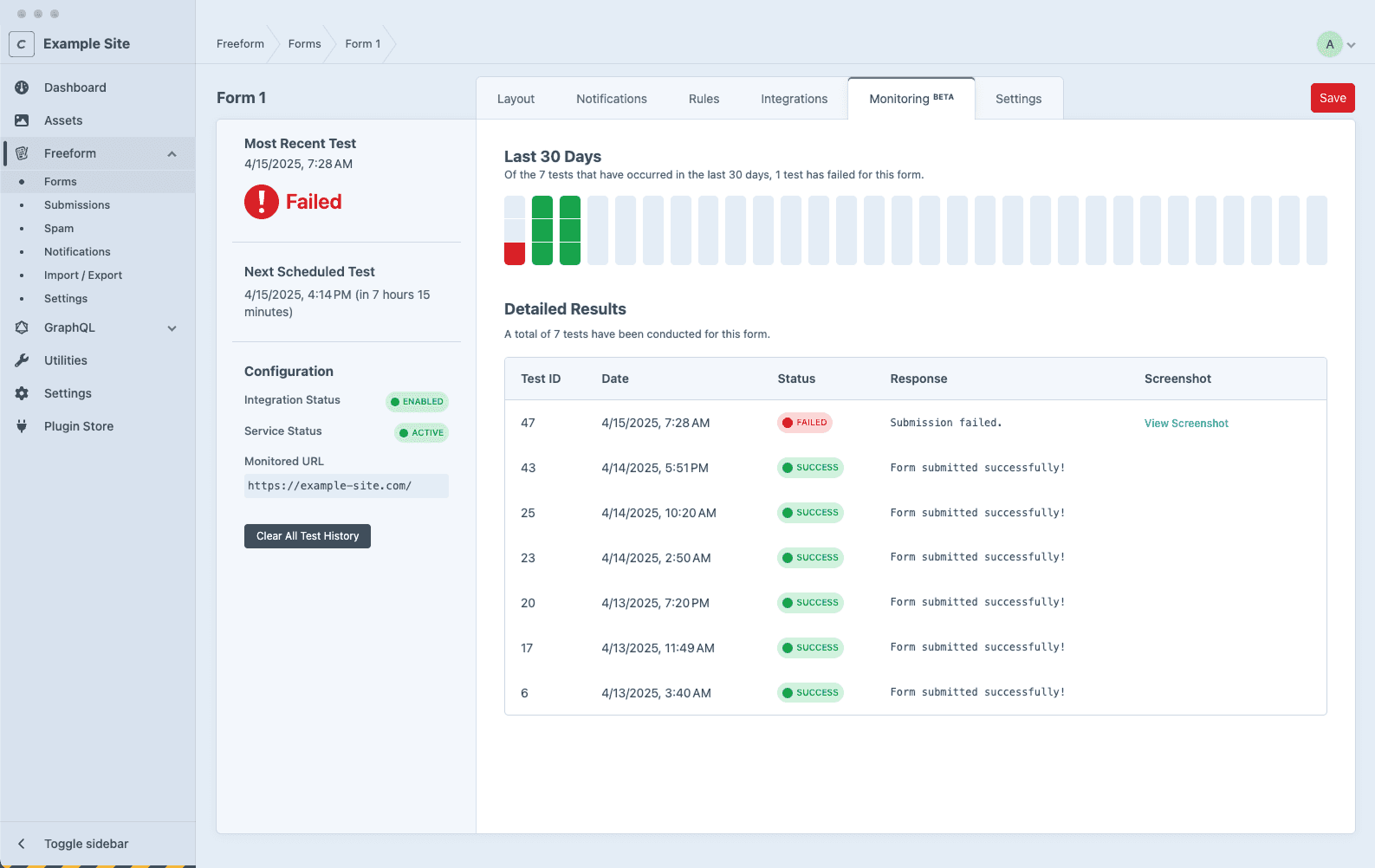
Form Monitor submits a real test entry with sample data roughly every 8 hours. It records whether the submission succeeded, how long it took, and whether your notification email arrived.
A screenshot, every time
Every test captures a screenshot of the page at the moment of submission. When something breaks, you see what your users saw — stored for 30 days.
You hear about it
If a test fails, Form Monitor retries within 10 minutes. If it fails again, you get an email within 15 minutes of the initial failure, with the URL, the failure detail, and a link to the screenshot. Real-time notifications
What it actually catches.
Here's what failure looks like.
A real test ran. It failed. The dashboard caught it. Your inbox knows about it before the marketing team does.
Form Monitor Alert: Issues Detected
We've detected one or more issues while monitoring your form, Contact.
Please review your form's configuration and resolve any issues to ensure uninterrupted performance.
Built by the team that built Freeform.

Solspace has been building Craft and ExpressionEngine sites for 25 years.
Freeform powers form submissions on production sites where downtime costs revenue.
FormMonitor is what the team built to monitor the forms it already builds for clients. We use it ourselves on solspace.com.
Included with Freeform Pro.
FormMonitor is included with Freeform Pro at no additional cost. If you're already on Pro, install FormMonitor and you're done.
On Express (free) or Lite? Upgrading to Pro gets you FormMonitor plus everything else in the Pro tier.
Questions.
Form Monitor submits a real entry through your form with sample data. It verifies the submission completed, records how long it took, and — when you've configured admin notifications — verifies the notification email arrived. Automated form testing